Jot the chaos.
Get the clarity.
Throw office tasks, grocery lists and 2 a.m. ideas onto one infinite board. An AI agent sorts them into tidy groups, so work and life never get mixed up again.
Live demo. Hit Organize yourself, or just watch it loop.
Not a mockup. This is the app.
A calm, floating workspace: infinite canvas, frosted-glass controls and groups that arrange themselves.
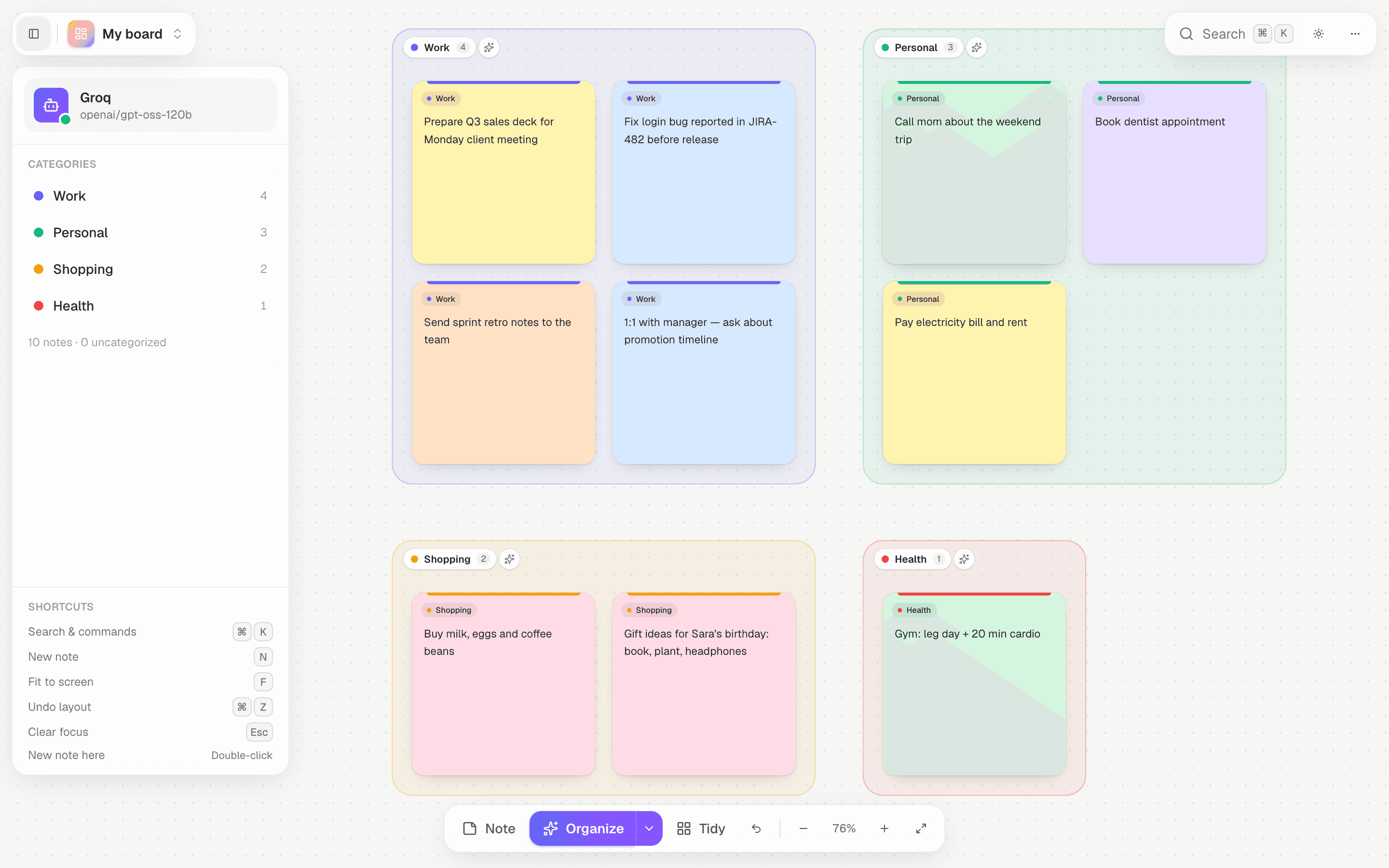
An assistant that tidies up after you
Everything you need to capture fast and think clearly, with none of the setup.
One-click organize
The agent reads every note and files it into clear groups like Work, Personal or a specific project. Steer it with plain-English guidance.
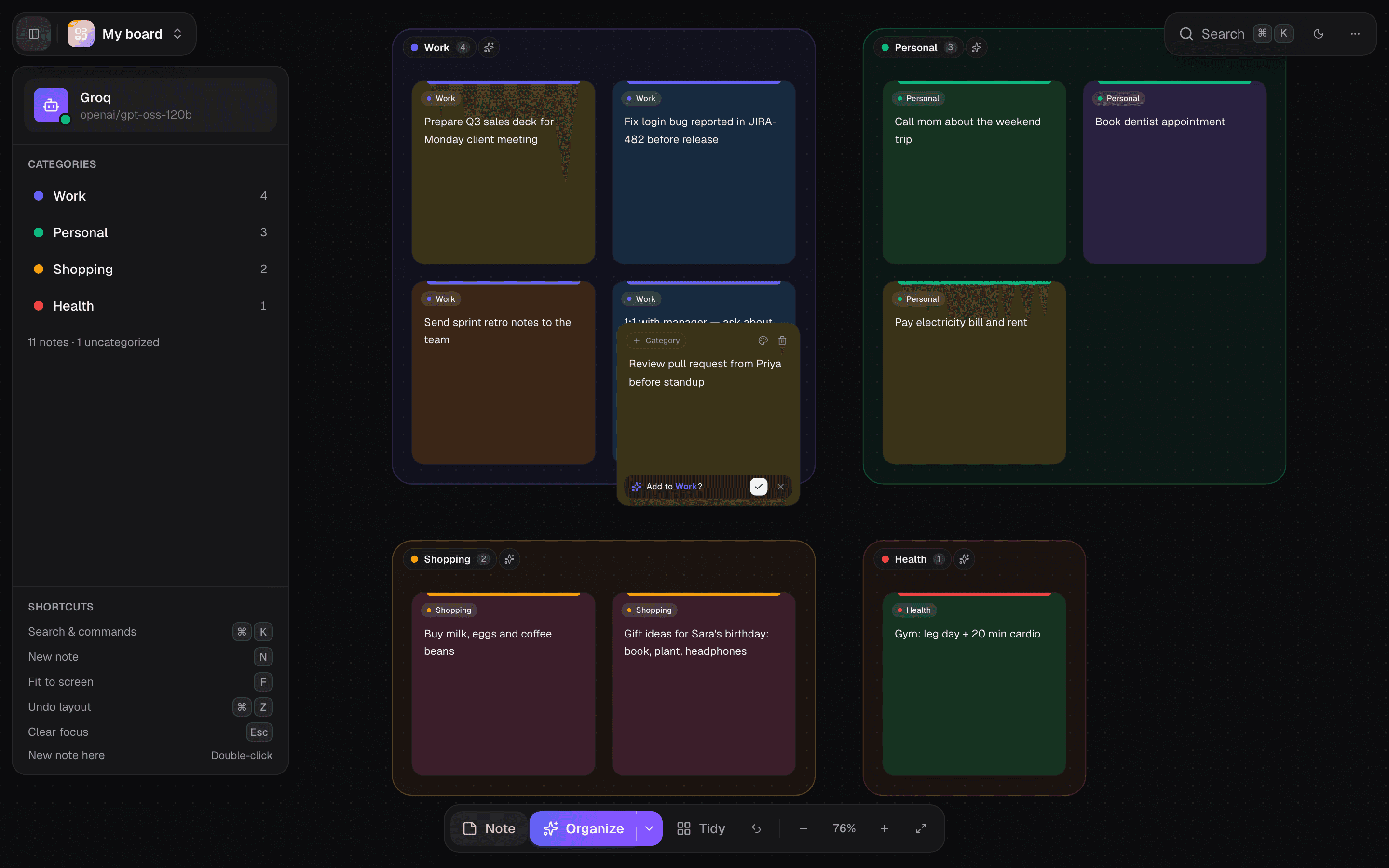
Live suggestions
Start typing and the agent suggests the right group. One tap to accept.
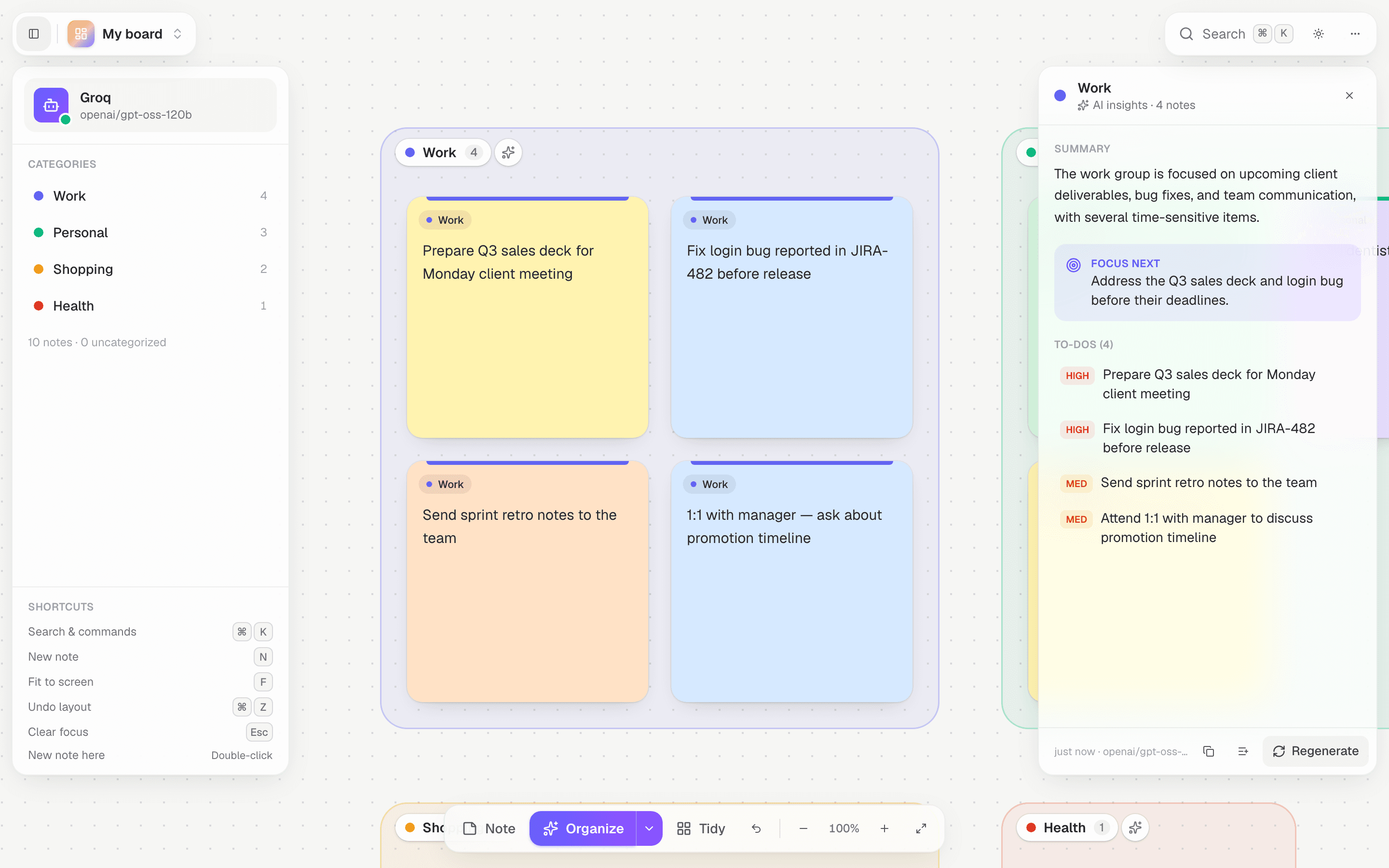
AI insights
Summaries, prioritized to-dos and a “focus next” for any group.
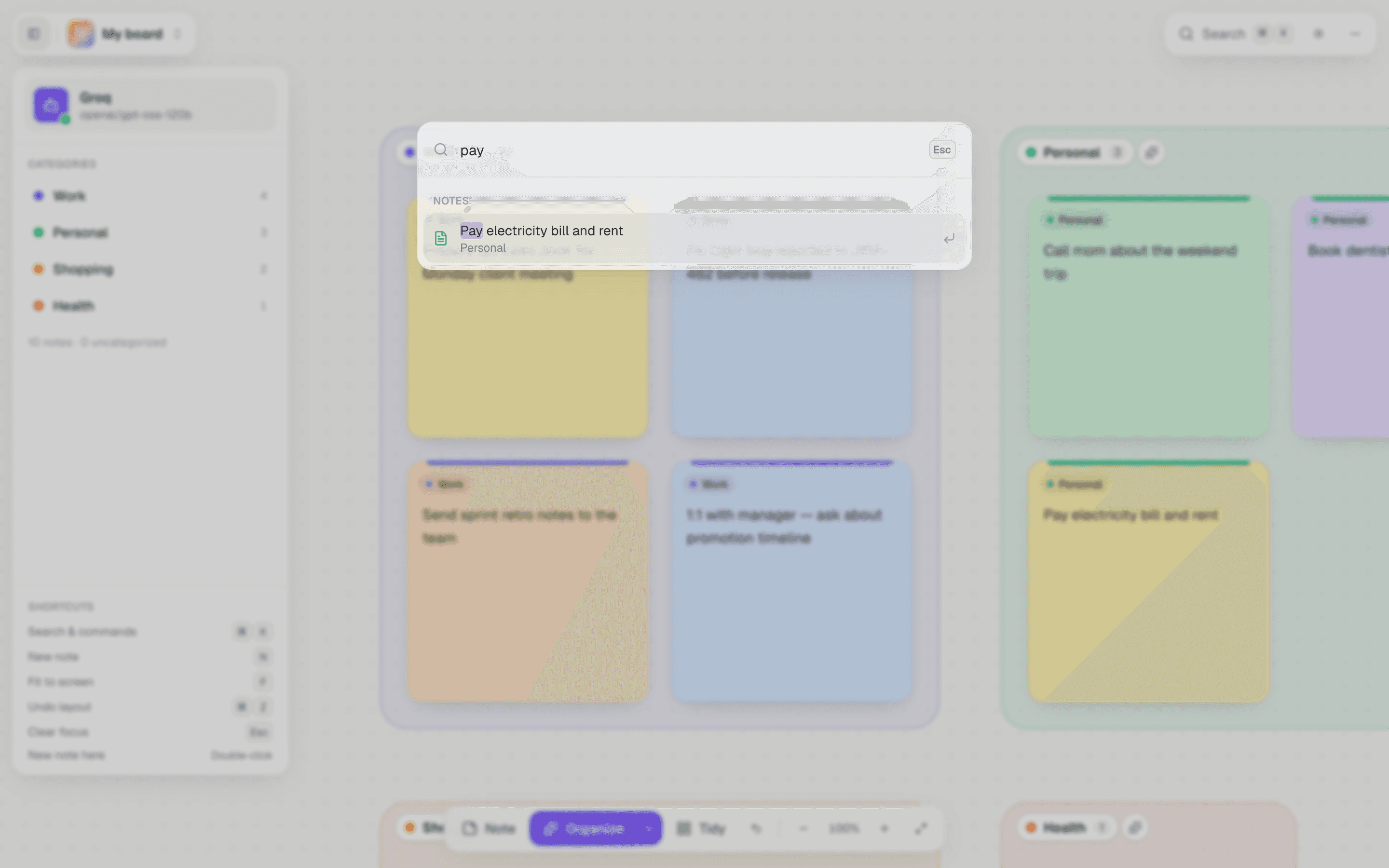
⌘K command palette
Search notes across every board and run any action from the keyboard.
Multiple boards
Separate spaces for Office, Home or that side project. Switch in a click.
Private by default
No account, no database. Notes and your API key live only in your browser. Without a key, a fully offline mode takes over.
Export anywhere
Back up a board as JSON, or export Markdown grouped by category, insights included. Import it back anytime.
Every screen, straight from the app
Chaos in, clear groups out
One click and the agent files every note into a labelled group. Work stays with work, errands with errands, and nothing gets lost in the pile.
Three steps from mess to focus
Jot anything
Double-click anywhere on the infinite canvas. Don’t think about where it goes.
Hit Organize
The agent groups related notes and lays them out in tidy, color-coded zones.
Focus
Open a group for insights and to-dos. Focus one area while the rest fades away.
Your key. Your model.
Paste a Groq, Gemini or OpenAI key, on any plan, right inside the app. No key at all? Offline mode keeps everything working.
openai/gpt-oss-120bgemini-2.5-flashgpt-4o-minikeyword rulesOpen AI settings, pick a provider, paste your key and hit Test. It’s stored only in your browser, and it always takes priority over a server key.
# optional default for everyone
GROQ_API_KEY=gsk_…
GEMINI_API_KEY=AIza…
OPENAI_API_KEY=sk-…

# a key set in the app wins ✨
Questions, answered
Which AI does it use?
Your choice: Groq, Google Gemini or OpenAI. Paste your own API key (any plan) in AI settings, or have the server set a default key. A key you enter always overrides the server’s. With no key at all, a built-in offline mode still sorts your notes.
Where are my notes stored?
In your own browser (localStorage). Nothing is stored on a server. When you organize, only the note text is sent to the AI provider you chose. A key you enter is stored only in your browser and forwarded to that provider, never kept on our server.
How does the agent decide the groups?
It reads all your notes together and creates 2–8 clear categories, reusing the ones you already have. You can steer it with guidance like “just Office and Personal”.
Can I keep separate spaces for work and home?
Absolutely. Create as many boards as you like. Each has its own notes, groups and insights, and ⌘K search spans all of them.
Can I get my data out?
Any time. Export a board as JSON (for backup or moving devices) or as Markdown grouped by category, then import it back whenever you want.
Your brain dump deserves a brain.
Private, fast, and ready in one click. No sign-up required.
Start sticking